
Cor
Semelhante aos filtros de Ajuste, os filtros de cores são operações de cores amplas da imagem.
Cor para o “Alfa”
Este filtro permite-lhe tornar uma única cor transparente (“alfa”). Por omissão, quando executar este filtro, estará seleccionado o branco, mas poderá escolher uma outra cor que deseje tornar transparente no selector de cores.
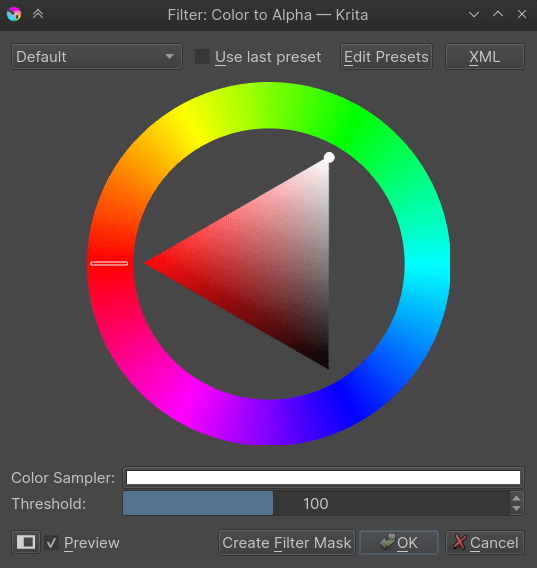
O Limiar indica qual a proporção das outras cores que serão consideradas como uma mistura da cor removida com as cores não-removidas. Por exemplo, com o limiar igual a 255 e a cor removida como sendo a branca, um cinzento a 50% será considerado uma mistura de preto e branco e, como tal, será transformado num preto 50% transparente.
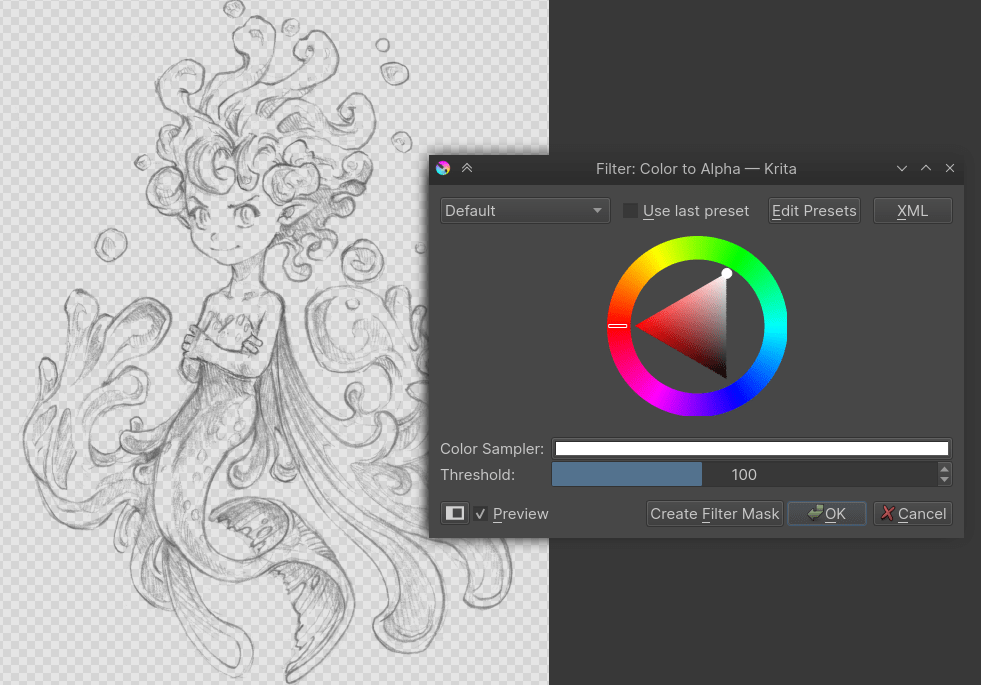
Este filtro é realmente útil na separação das linhas do fundo branco.
Fast Color Overlay
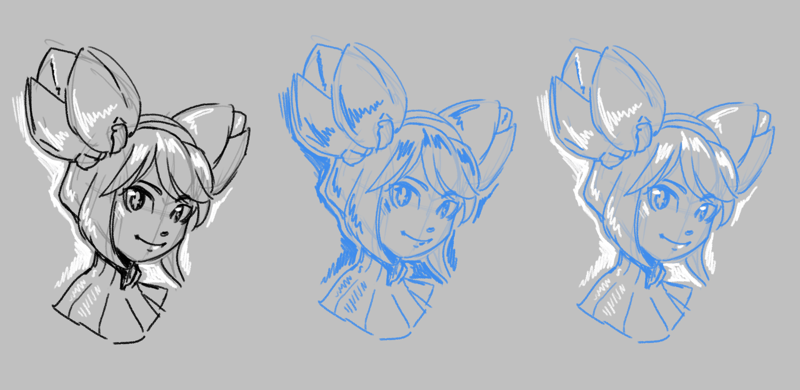
Left: original sketch. Center: Sketch with Fast Color Overlay filter and Normal blending, Right: Sketch with Fast Color Overlay filter and Tint blending.
Added in version 5.3.
Tints an image with a single color. It is similar to Ajuste do HSV/HSL with Colorize enabled, but much faster.
- Cor
The color to tint the image with.
- Blend Mode
The blend mode to use to mix the color with the existing image.
- Normal
This applied the color like a regular layer onto the input. This is useful for images where you want to have all opaque pixels the specified color, asif the layer were a single-color layer.
- Tint
Interpolates between white and the current color. This is useful for images where you want to preserve any mid-tones.
- Custom
Select any other blending mode you prefer.
- Opacity
How opaque or transparent the selected color should be.
Transferência de Cores
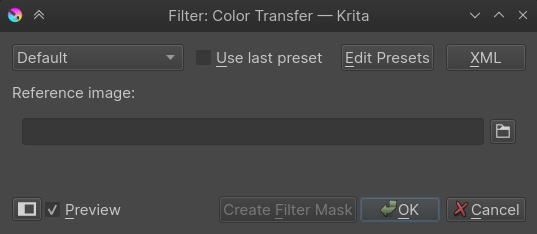
Este filtro converte as cores da imagem para as cores da imagem de referência. Esta é uma forma rápida de mudar uma combinação de cores de uma obra para uma imagem já gravada ou uma imagem de referência.
Maximizar o Canal
Este filtro verifica todos os canais de uma dada cor única e configura todos os valores menos o máximo como 0.
Minimizar o Canal
Isto é um inverso do Maximizar o Canal, onde verifica todos os canais de uma dada cor única e configura todos menos o mínimo como 0.
Propagate Colors
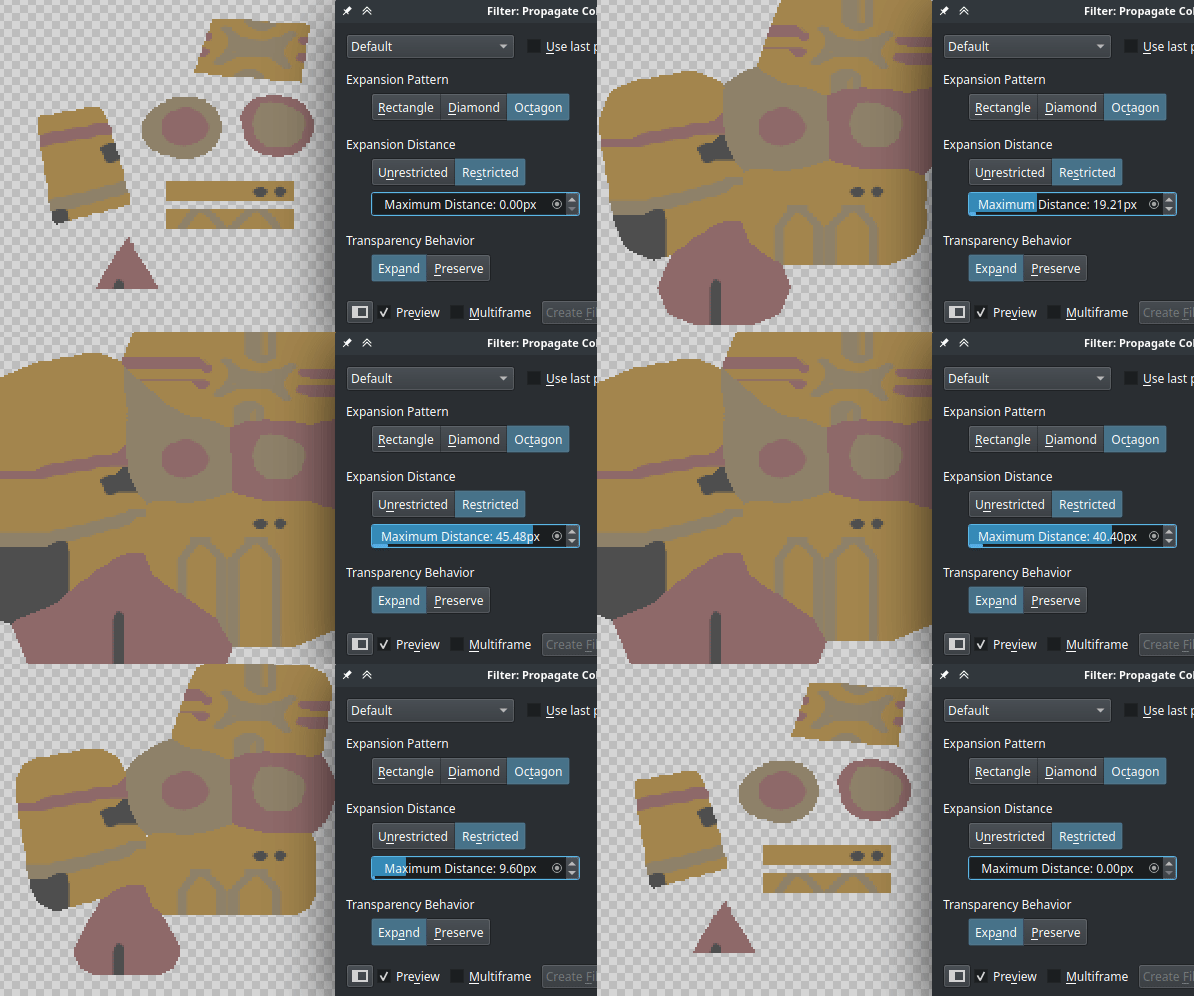
This filter propagates, extends, the colors of [semi]opaque regions into the nearby fully transparent regions. This can be useful, for example, to automatically fill those areas in a way that there is a continuity in terms of color.
- Expansion Pattern
This option allows to choose in which directions the pixels should propagate.
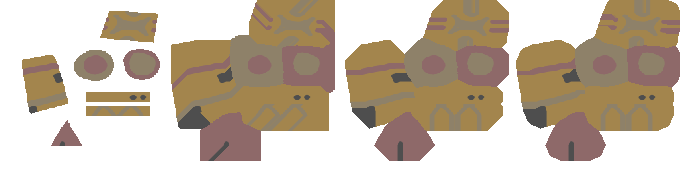
From left to right: original image; rectangle shaped expansion (expand equally to orthogonal and diagonal directions); diamond shaped expansion (expand only to orthogonal directions); octagon shaped expansion (expand to orthogonal directions and a bit less to the diagonal directions).
- Expansion Distance
The pixels can be propagated only up to a given distance, or indefinitely, so that all the transparent areas are covered end-to-end.
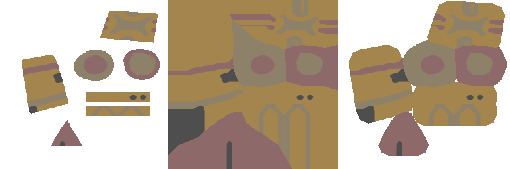
From left to right: original image; expanded image with unrestricted distance; expanded image with restricted distance.
- Transparency Behavior
This option allows control over whether the alpha channel should also be expanded or remain untouched.
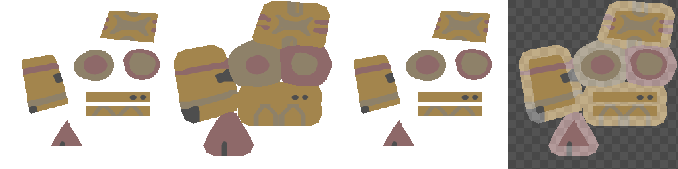
From left to right: the original image; the expanded image with expanded alpha channel; the expanded image preserving the alpha channel (note that it looks like the original one, although the color components were actually propagated into the transparent areas); image demonstrating the behavior of the previous example by applying a levels filter that makes the transparent areas semi-opaque to clearly see how the colors were truly propagated.